How to Use Binance DEX: A Complete Beginner's Guide to Decentralized Trading

Binance DEX, or Binance Decentralized Exchange, is a non-custodial trading platform built on the Binance Chain. Unlike Binance.com, which holds your funds in a centralized wallet, Binance DEX gives you full control over your private keys and assets. This guide will walk you through the steps of using Binance DEX, from setting up a wallet to executing your first trade.
First, you need a compatible wallet. The official wallet for Binance DEX is the Binance Chain Wallet, available as a browser extension for Chrome and Firefox. You can also use Trust Wallet or the Binance Chain mobile app. When setting up the wallet, you will be given a 12-word seed phrase. Write this down and store it securely offline. Never share it with anyone, as it is the only way to recover your funds.
Next, fund your wallet. Since Binance DEX operates on Binance Chain, you will need BNB (Binance Coin) to pay for transaction fees. You can send BNB from Binance.com or another exchange to your wallet address. Additionally, you can deposit other BEP-2 tokens into your wallet. Remember, Binance DEX only supports tokens native to Binance Chain (BEP-2), not Ethereum-based tokens or BEP-20 tokens (except when pegged).
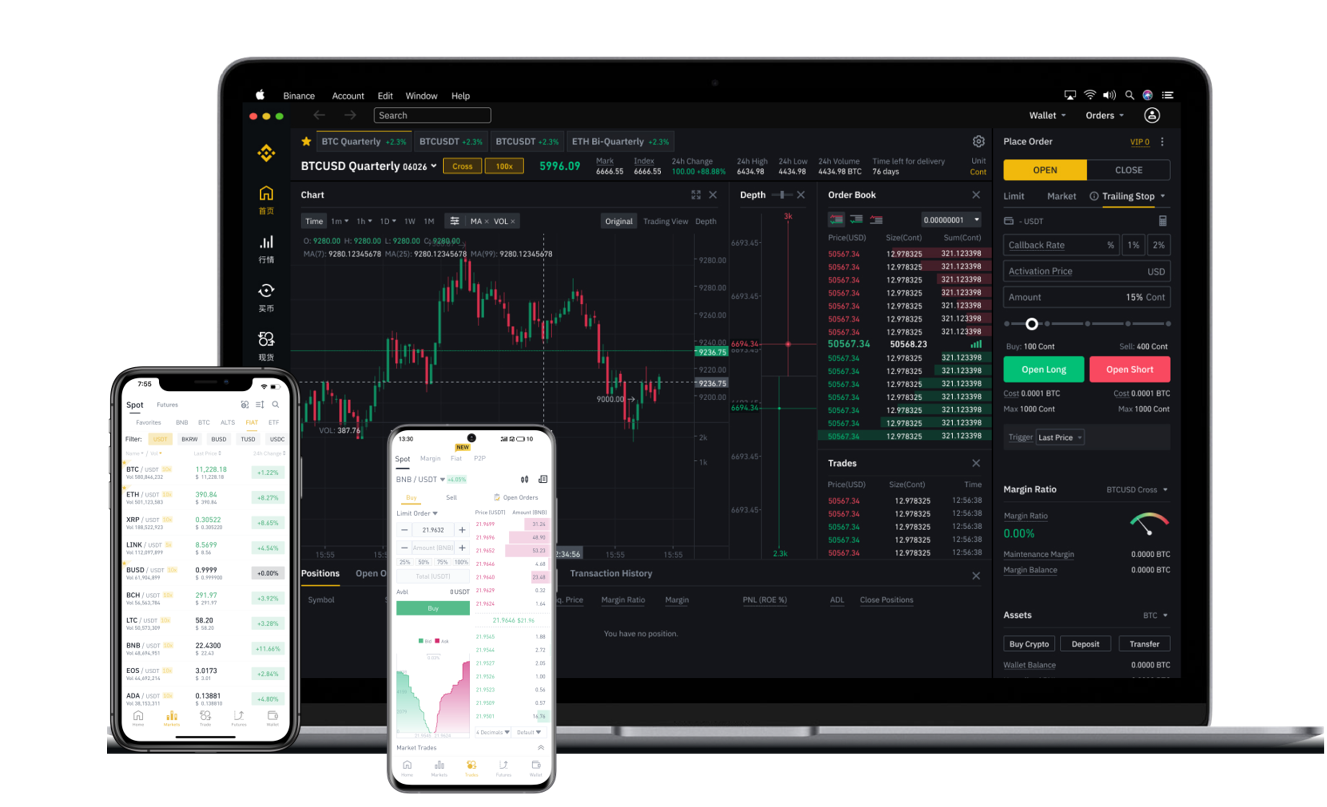
To start trading, visit the Binance DEX website (dex.binance.com). Connect your wallet by clicking the "Connect Wallet" button and selecting your wallet type. Once connected, you will see the trading interface. You can choose a trading pair from the list on the left, such as BNB/USDT. The interface shows the order book, recent trades, and your balance.
Place an order by selecting either "Limit" or "Market" order. A limit order lets you set a specific price, while a market order executes at the current best available price. Enter the amount you want to buy or sell, then click "Buy" or "Sell". Confirm the transaction in your wallet extension. The order will be broadcast to the Binance Chain. Once matched with a counterparty, you will see the update in your balance.
One key difference from centralized exchanges is that your funds are never held by a third party. Instead, all transactions are settled directly on the blockchain. This means trades are slower than on Binance.com (a few seconds to minutes), but you retain full custody. You can also check your trade history and transaction status on a Binance Chain explorer like BscScan.
To withdraw funds, simply send tokens from your Binance DEX wallet to any other Binance Chain address. The fee is paid in BNB. Always double-check the address before confirming, as blockchain transactions are irreversible.
Security is paramount with decentralized exchanges. Always ensure you are on the official Binance DEX website. Beware of phishing sites. Keep your seed phrase offline and never enter it into any website or app. Consider using a hardware wallet like Ledger or Trezor for extra security when dealing with larger amounts.
In summary, using Binance DEX involves installing a compatible wallet, funding it with BNB and other tokens, connecting to the DEX interface, placing trades directly from your wallet, and managing your own private keys. While it offers less speed and fewer features than Binance.com, it provides true ownership of your assets and resistance to censorship. If you prefer full control over your trades and do not want to trust a central authority, Binance DEX is a reliable option.